
myryman App
Project
myRyman
Client
Ryman
Designing for the people most apps leave behind
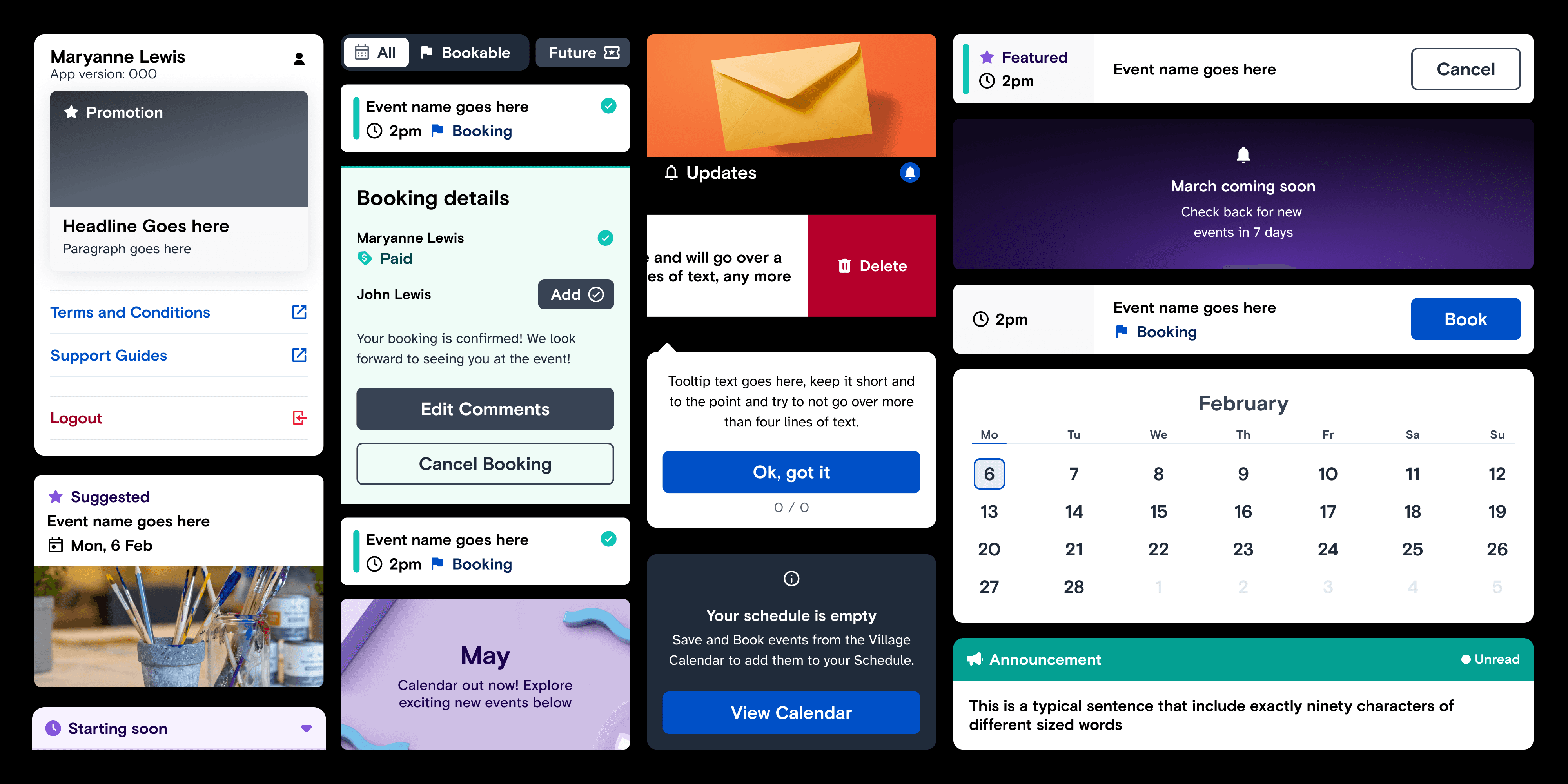
myRyman is how residents at Ryman Healthcare's 40+ retirement villages across New Zealand and Australia keep up with village life. The average resident is around 80. Plenty have arthritis or failing eyesight, and some had never owned a smartphone. I led the app's design for three years. In that time it grew from a digital noticeboard into the way residents book activities, order services and pay, without getting any harder to use.
Role
Product Design Lead at Journey, for Ryman Healthcare
Team
Reported to Ryman's Product Owner. Led a small design team and guided Ryman's own designers on the staff admin portal.
Timeline
2022 to 2024
What I owned
Resident app design end to end including the design system and its accessibility patterns.
%
of signed-up residents use the app every week
%
of eligible independent households signed up
%
customer satisfaction (up from 74% a year earlier)

THE PROBLEM
It all ran on paper.
Before the app, telling residents about Thursday's bus trip meant printing a notice for every resident and walking it door to door. Booking a spot meant getting to the sign-up sheet in time. Some residents missed out, tempers flared, and every so often the sheet itself went missing.
Then COVID closed the doors. For people living alone, that piece of paper was often their main link to everyone else, and now nobody could deliver it.
Ryman already had an app when I joined, but it did two things: it showed the events calendar and posted updates. The plan was to grow it into the front door to village life, with bookings, services and payments.
Here's the catch. Every new feature makes an app a little harder to use. For someone with arthritic hands, glaucoma or no smartphone history at all, "a little harder" can be the moment they put the phone down for good.

Research
I spoke to residents, a lot!
At least once a month I headed out to a village with whatever we were working on. Over the project I ran around 70% of the research: more than 275 hours of interviews, co-design and testing with over 150 residents.
Sitting next to residents while they use your app teaches you things fast:
Long-press, drag, pinch? Mostly invisible. So the app uses taps and simple swipe gestures only.
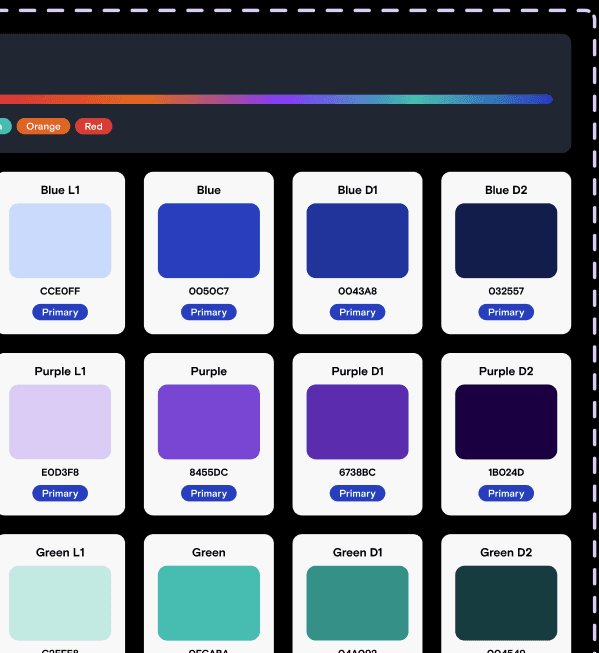
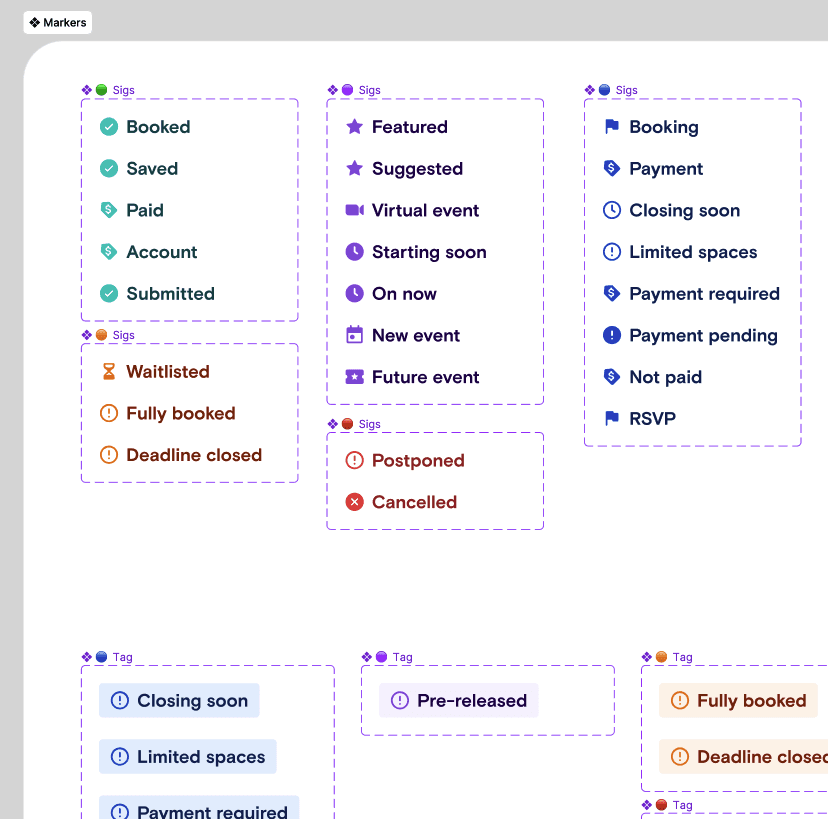
A coloured dot that means "booked"? Easy to miss with ageing eyes. Every status got an icon and a word as well as a colour.
Every button is a question. Residents had to read and rule out every option on screen, even the ones that didn't apply to them.
And typing. Typing was the wall. Filling in details was where residents struggled most.
But the thing that stayed with me wasn't a usability finding. Loneliness is real in a retirement village, especially for residents who have lost a partner.
One resident told us: "Having this app on my phone means I feel connected 24/7."
She wasn't talking about a calendar. She was talking about belonging. Seeing what's on and booking a spot herself meant she was part of things. From then on, that's how I measured every feature: does it help someone take part?
Simulate vision
myRyman headline
This is a legible paragraph text size
Common headline
This is a common paragraph text size
AAA
Accessibility
vs
Booked
vs
Unread
(Icon)
vs
(Icon + Label + Colour)
Only display action a user can take
Inactive actions slide away
Next step
Simulate Inactive

DESIGN DECISIONS
Three rules that kept it simple as it grew
Never give someone something they can't do
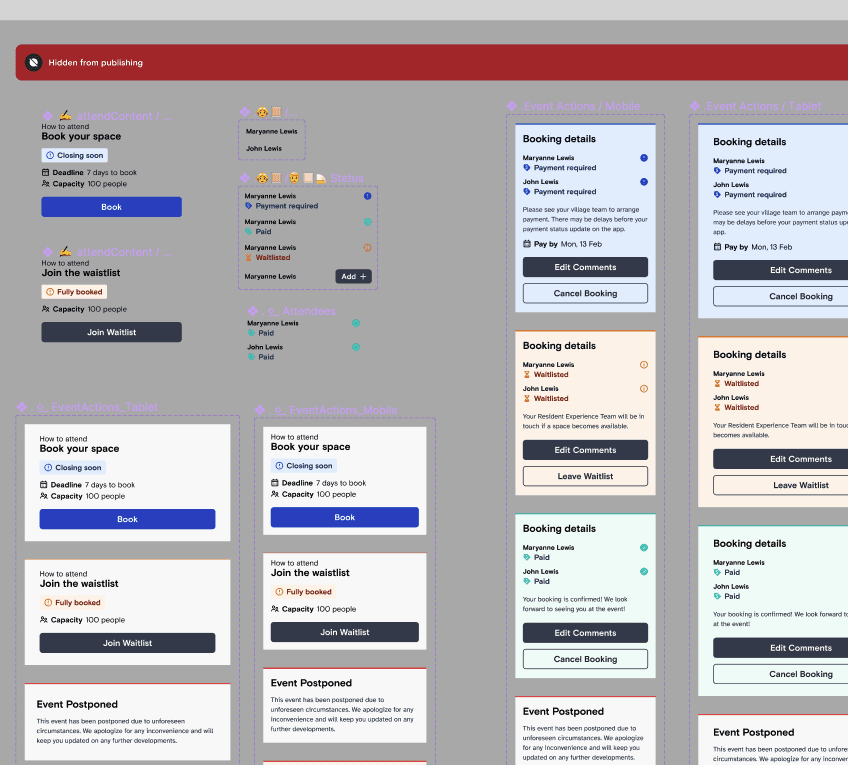
Most apps grey out the things you can't use. That's fine if you know what grey means. For our residents, a greyed-out button was just another button: something to read, wonder about, and maybe tap, only for nothing to happen.
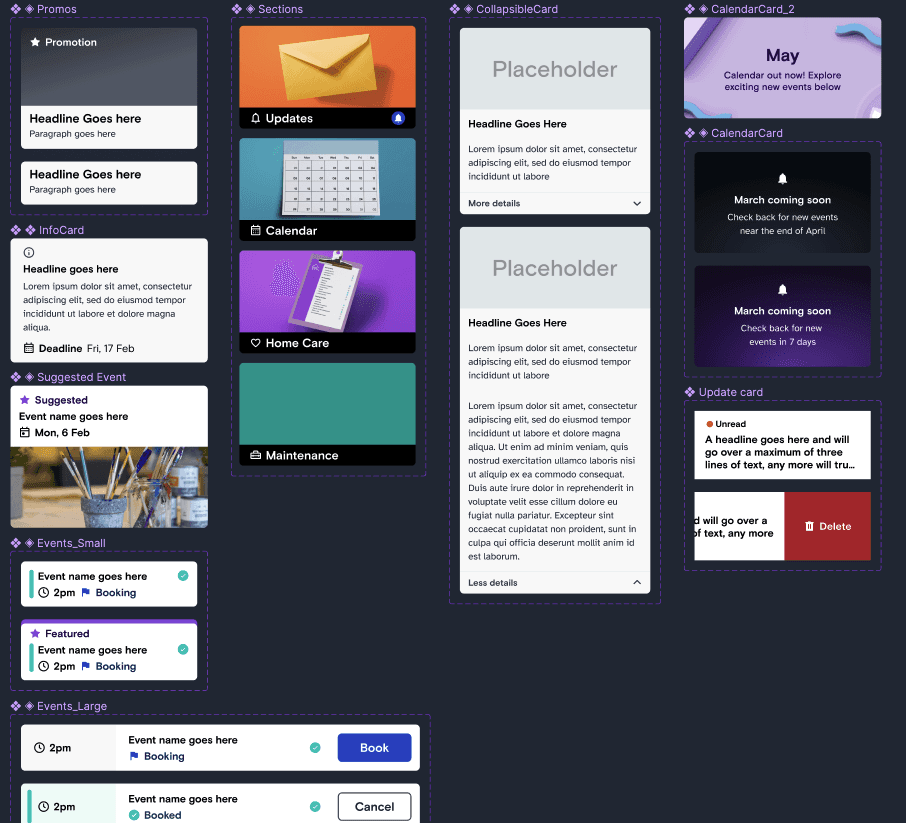
So we took them out. All of them. If an event is fully booked, there's no booking button, just a plain "Fully booked" so nobody wonders why. Suggested events only show up if you can actually book them. And when a next step does become available, it slides in with a small animation, so your eye knows where to go.
Input Assist: one question at a time
Watching residents fill in a standard form was tough. Small fields, a keyboard covering half the screen, and no idea how many questions were left.
Input Assist turns a form into a short conversation. One question per screen, a big field, a plain hint, a counter that tells you how far along you are, and a big Next button sitting right above the keyboard.
This is the one I'm proudest of. Seeing how much easier it made things for residents honestly made my day.
One way to do everything
Bookings, prescription delivery through PillDrop, home cleaning, meal delivery, payments. Each could easily have had its own flow, and residents would have had to learn five different ways of doing things.
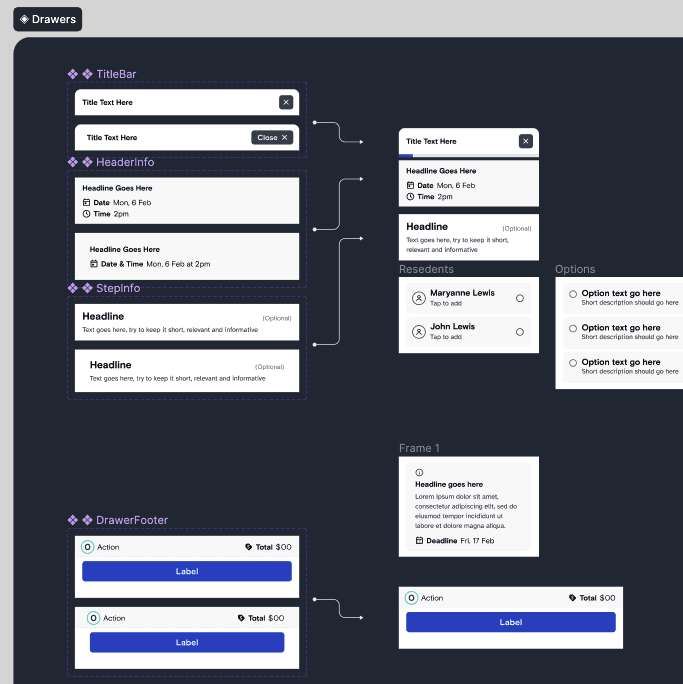
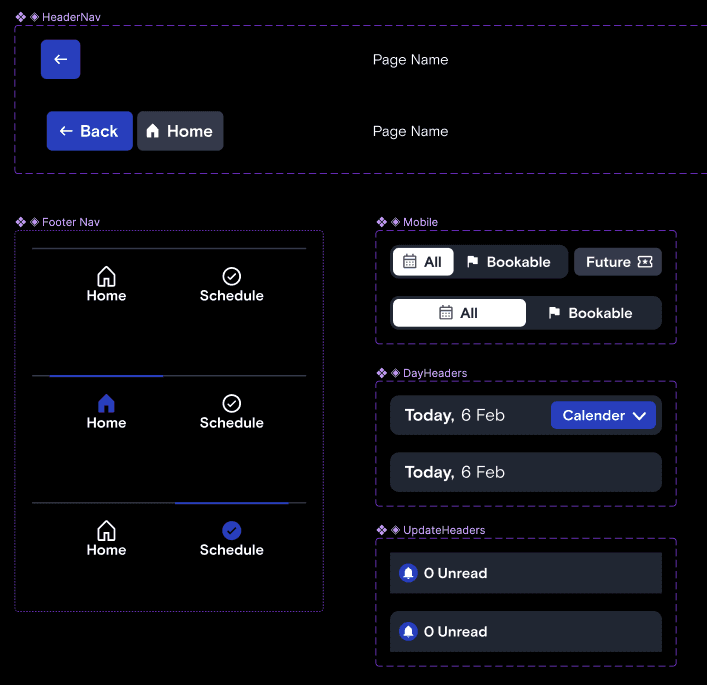
Instead I reorganised the app around one home screen and one way of taking action. Home shows what's on today and a row of service cards. Every booking, sign-up and payment happens in the same drawer, with the same steps in the same order. Learn it once, use it everywhere.
Partner booking lives in that drawer too. Lots of residents live as couples, and often one of them looks after plans for both. Now they can add their partner with one tap and see the total before they pay.
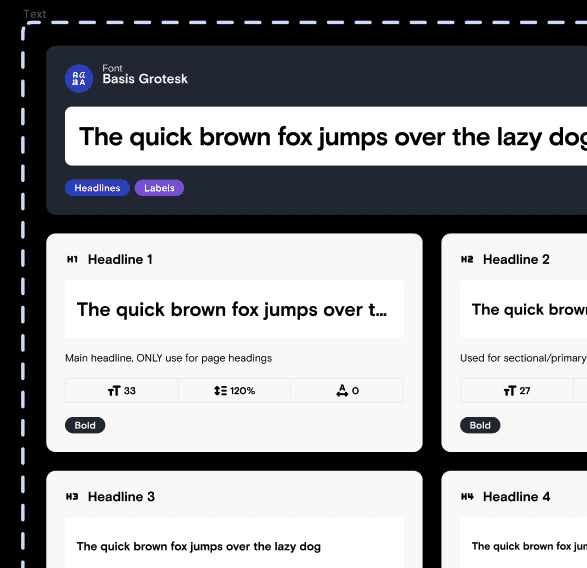
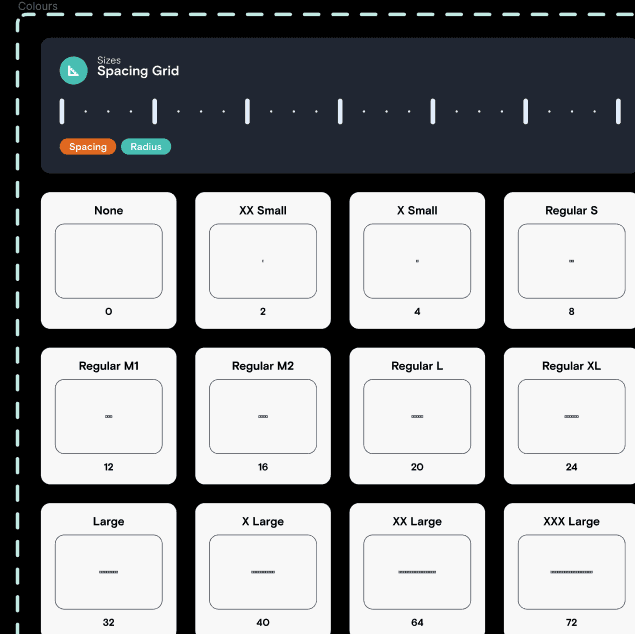
Under the hood, a tokenised design system keeps type large, touch targets generous and the layout consistent across four screen sizes, from small phones to big tablets.


OUTCOMES
They signed up, and kept coming back.
Stunning uptake, in the judges' words
By the time I left, 76% of eligible households had signed up, and 98% of them were opening the app every week. Satisfaction went from 74% to 88% in a year, with an NPS of 57.
It turned into a business channel too. In-app promotions for village services brought in more than $6M in sales, for a company that used to find launching anything new a paper-shuffling headache. And far fewer notices get walked door to door.
The work picked up Gold at the 2024 Best Design Awards (Value of Design), two more finalist spots in Digital Products and Social Good, and a 2023 Good Design Award in Australia. My favourite line came from the Best judges: "a well executed service design programme over a number of years and iterations." Which is a polite way of saying we kept showing up.
